
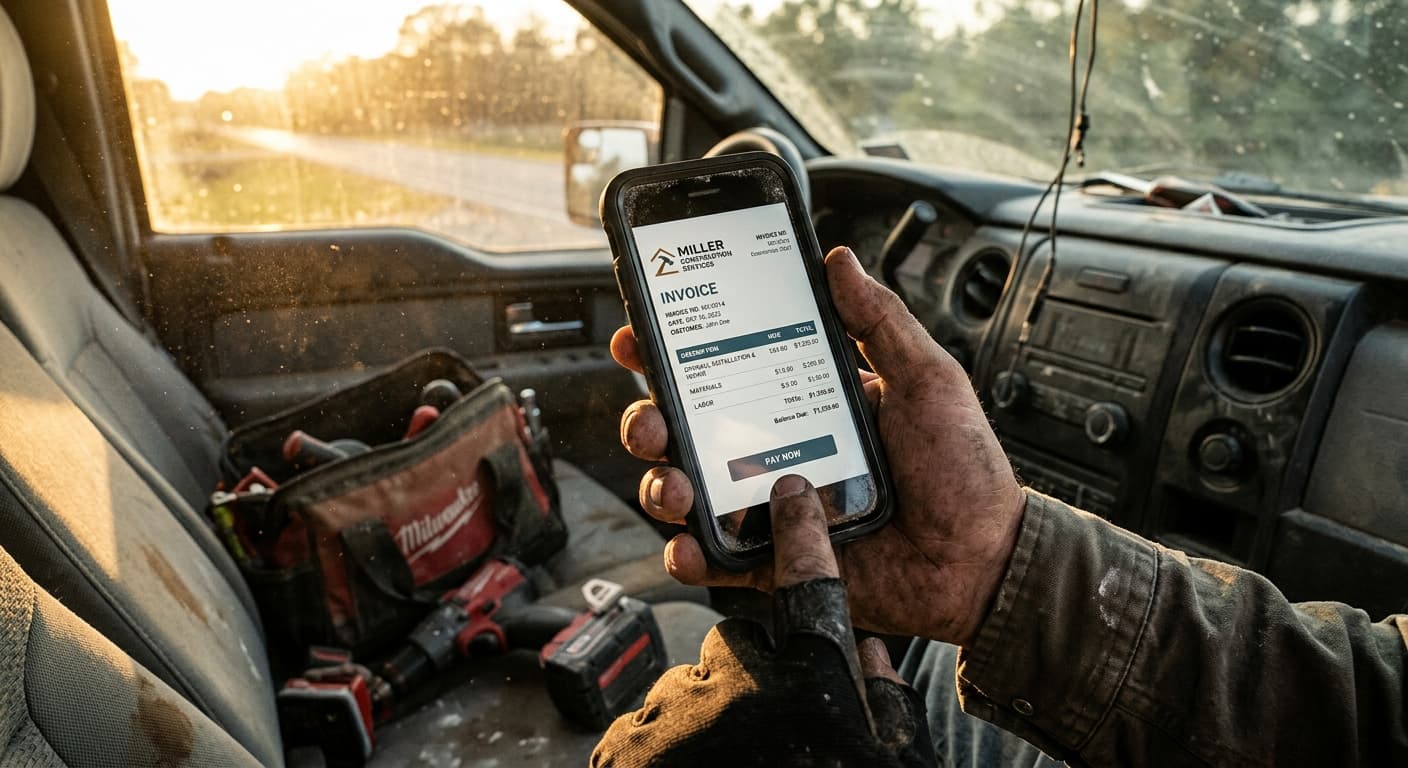
- Memory-dependent billing kills your profit margin; leaving the job site without documenting extra hours or parts means you lose thousands annually.
- Waiting until Friday to handle accounts receivable leads to forgotten billable hours and messy disputes over undocumented change orders.
- Voice logging captures work instantly on-site, bypasses dirty-screen typing, and plugs cash flow leaks before you drive away.
Last Tuesday, I was sitting in my truck outside a residential framing job in Atlanta. It was 95 degrees, humid as a swamp, and my shirt was plastered to my back. My drywall finishing sub had just wrapped up, and we had to run two extra electrical rough-in boxes because the homeowner changed her mind on the layout. I knew I needed to track these change orders on site. But I was tired. I threw my Milwaukee drill in the back, told myself I would bill for the extra hours and those expensive brass fittings when I got home, and drove off. Guess what? I forgot. I forgot to invoice client. That little memory slip cost me $350.
In my 25 years as a general contractor, I have seen this exact scenario play out hundreds of times. We focus so much on getting the work done, passing code inspections, and managing subcontractor bids that we treat billing as an afterthought. We drive away from the job site knowing money was left on the table, promising we will catch up on Sunday night. But by Sunday, your brain is fried, the receipts are lost under the truck seat, and those billable hours are gone forever. It is an epidemic in our industry, and it is killing our margins.
The True Cost of Memory-Dependent Billing
Let's talk about contractor lost revenue. It is rarely the big contracts that sink a small business. You do not forget to send the bill for a major framing or drywall finishing phase because those are tied directly to your draw schedules and lien waivers. Instead, you leak cash through a thousand tiny cuts. It is the extra half-hour of troubleshooting. It is the three brass couplings you pulled from your own inventory. It is the quick run to the supplier for extra permits you did not budget for.
When you rely on your memory, you are playing a losing game. Here is the thing: your clients will not remind you that you forgot to charge for forgotten items. If you send an invoice three weeks late, it looks unprofessional. It stalls your accounts receivable, disrupts your cash flow, and makes clients question your attention to detail. Worse, trying to reconstruct your week from memory means you are either guessing or flat-out donating your labor to the job.
Pro Tip: Never leave a job site without capturing client signatures for extra work. It doesn't matter if it is a $50 fix or a $5,000 rough-in change order. If it is not signed, it is a donation. Let them sign right on your phone screen before you pack up your tools.
Why Traditional Invoicing Apps Don't Work in the Field
You have probably tried standard software to solve this. Maybe you signed up for a bloated field service platform like Housecall Pro or Jobber. They want $100 a month and force you to navigate through fifteen menus just to add a single line item. Or maybe you tried a mobile template tool like Joist. The problem is they all require you to type. Ever tried typing a 500-word estimate with drywall dust, grease, or sweat on your fingers? The screen doesn't register your touch, you make typos, and you get frustrated. So, you lock your phone and say, "I'll do it later." Later never comes.
Standard PDF templates are just as bad. Sure, they are free, but pinching and zooming on a spreadsheet in a dark crawlspace is a nightmare. Some guys resort to paper notebooks, but those get soaked in rain, covered in mud, or lost in the van. The tool has to match the reality of the dirt, the noise, and the physical limits of being on a live site.
How to Handle Forgotten Charges Professionally
If you do realize you forgot to invoice a client, how do you fix it without looking like an amateur? You have to be direct and transparent. Do not try to sneak the charge into a later progress billing phase. Send a separate invoice, explain the oversight honestly, and reference the specific day the work was done. But honestly? The best way to handle forgotten charges is to never let them happen in the first place.
The Solution: Capture the Work with Your Voice
To stop losing money to memory-dependent billing, you need a system that captures the work the exact second you finish it. No typing, no waiting, and no administrative burden. This is where voice logging changes everything. If you can send a voice message to a friend, you can invoice a client.
Here is how a fast, voice-first workflow protects your cash flow:
- Record immediately: As soon as you pack up your tools, open your phone and speak. Say exactly what you did: "Add three hours of labor for framing adjustments and $45 for structural screws."
- Instant formatting: The system automatically converts your voice note into a professional, itemized PDF invoice with taxes and totals calculated.
- Send on the spot: Text or email the invoice link to the client before you even put your truck in drive.
This workflow solves the memory gap completely. You do not have to remember anything on Sunday night because the invoice was sent on Tuesday afternoon. Your accounts receivable stay clean, and you can even set up payment gateways like Stripe or Venmo to let clients pay you instantly right from their phone.
Pro Tip: Set up your invoice system to automatically offer mobile-friendly payment options. Giving clients a quick digital link gets you paid within 24 hours instead of waiting on a physical check to clear. It keeps your cash flow moving.
Plugging the Leaks in Your Trade Business
Whether you are an electrician running service calls, a plumber fixing slab leaks, or a landscaper adding extra mulch on the fly, missed charges add up fast. If you miss just $100 in parts and labor every week, you are throwing away over $5,000 a year. That is your overhead costs, a major tool upgrade, or a family vacation gone because you did not want to type on a dirty screen.
We built a free Change Order Generator to help you quickly document these modifications on-site. It is a great way to keep your project scope protected. But here is the honest truth: templates are great, until you have to type on them with dirty, sweaty hands in your truck cabin. Want to just speak instead? That is why VoiceInvoice is built the way it is. It is designed for hands-busy tradespeople who want to protect their profit margin without spending hours on administrative work. You can even check your own leaks with our ROI Calculator to see exactly how much cash you are leaving on the job site every year.
Take Control of Your Time and Money
Stop letting undocumented work eat your profit margin. Stop dreading your Friday night admin sessions. Reclaim your weekends and make sure you get paid for every single nail, fitting, and minute of labor you put into your projects. Grab VoiceInvoice, speak your work, and get paid before you even leave the driveway.
— Marcus Williams, General Contractor, Atlanta, GA. 25 years in residential construction. Started with a hammer, now runs a crew of 8. Still does estimates from the job site.