
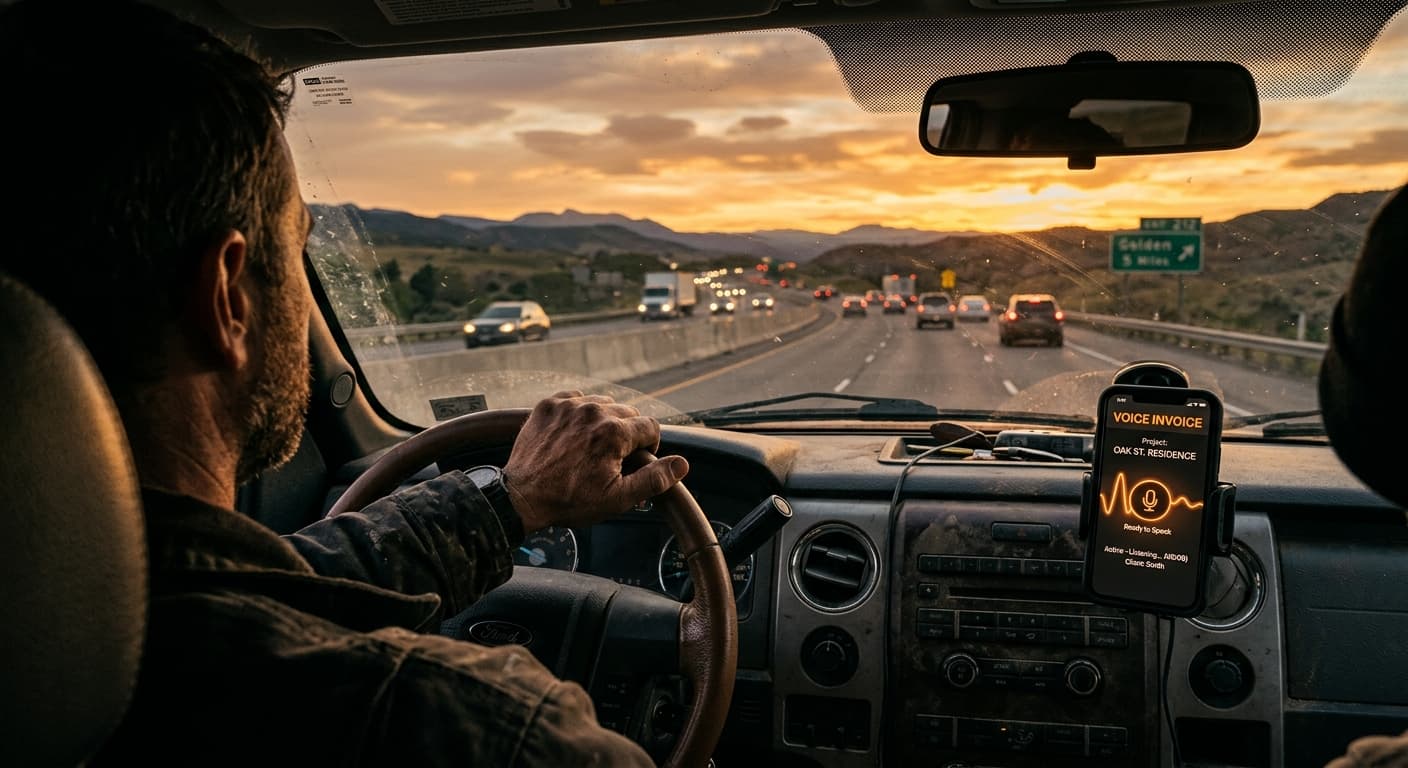
- Typing while driving is dangerous and illegal. Voice-to-text tech makes it safe.
- Traditional apps like Joist or Jobber require clicking buttons, ruining windshield productivity.
- VoiceInvoice lets you bill by speaking naturally on your commute.
- Reclaiming this dead time stops you from forgetting parts markup and extra billable hours.
I remember a job from last August. The temperature in North Las Vegas was hitting 112 degrees. I was crammed inside a tiny crawlspace trying to repair a cracked PVC sewer line that had caused a nasty sewage backup. By the time I crawled out, my shirt was ruined, my knees were aching, and my hands were caked in grit and purple PVC primer. I packed my Milwaukee packout boxes into the bed of my truck, turned the AC to max, and pulled onto the I-15 to start my commute home.
That drive home is what we call windshield time. For most of my 18 years as a plumber, this was completely dead time. I would sit there staring at the bumper of the car ahead of me, stressing out. My brain was fried, but I knew I had to remember every single detail of that job. Did I use three brass shutoff valves or four? What about those copper piping fittings? Did I apply the standard 15% parts markup?
By the time I got home, kissed my wife, and finally sat down at the kitchen table with a cold drink, half those details were gone. I was too tired to care. I would write a vague bill, send it off, and lose out on hard-earned money. Sound familiar? It happens to every contractor I know.
The High Cost of Waiting to Bill
Honestly? Most guys don't realize how much cash they're throwing away by delaying their billing. They think they'll just catch up on Friday night. But Friday night admin is a trap. You're exhausted. You want a beer, not a spreadsheet. When you wait to send invoices, your accounts receivable balloon. Your cash flow slows to a crawl.
You forget the minor things—the extra hour of labor, the specialized drain camera fee, or the emergency call-out fee. Those minor things are your pure profit margin. Over a month, forgetting just one $50 part on three different jobs eats up $150 of your overhead costs. That's real money. It could cover your gas, your phone bill, or your truck insurance.
And let's talk about the safety aspect of trying to fix this on the road. We've all seen that guy. The contractor in the lane next to you, steering with his knee while trying to type out a quote on his phone. It's crazy. Typing on a phone while driving increases your crash risk dramatically. It is not worth a couple hundred bucks to wreck your rig or worse, hurt someone. We need a way to invoice on the road safely without touching a screen.
Why Traditional Mobile Invoicing Fails
I've tried almost every app on the market. Let's look at Housecall Pro and other complex systems. They're built for massive companies with dispatchers and office staff. They are expensive, bloated, and require too many taps. If you are a solo operator or a small team of electricians or landscapers, you don't need a system that feels like managing an airport.
Then you have apps like Joist. They're simpler, but they still force you to type. You have to select dropdowns, search for clients, and type out descriptions. That is fine when you are sitting in your driveway. It is impossible when you are driving 65 miles per hour down the highway. What about free options? Some guys use Word or Excel templates. They're free, sure. But pinching and zooming on a spreadsheet while your steering wheel is vibrating is a recipe for a headache.
If you want a basic template, you can grab our free Towing Invoice Template to see how they look. Templates are great, until you have to type on them with dirty, greasy hands in the dark. Want to just speak instead? That's where we need to change the game. Voice is faster than Excel, hands down.
How to Invoice While Driving Safely
So, how do we actually do this? We turn our windshield time into billable hours. Here is the step-by-step system I use every day to send professional PDF invoices before I even park in my driveway.
- Get a solid phone mount. Do not leave your phone rolling around in your console. Get a heavy-duty magnetic dashboard mount. It keeps the screen right in your line of sight so you don't have to look down.
- Connect to Bluetooth. Make sure your truck's Bluetooth or a good wireless earpiece is connected. The microphone needs to pick up your voice clearly over the road noise.
- Open the voice app before moving. Never open apps while driving. Tap the microphone button on VoiceInvoice before you put the truck in gear.
- Dictate the job details naturally. You don't need to speak like a computer. Just talk. Say: "Invoice Mark Davis on Craig Road. Replaced a P-trap, cleared a kitchen sink clog, used two PVC fittings, and charged our standard one-hour service fee."
- Let AI handle the rest. The software takes your voice, translates the trade lingo, applies your parts markup, and creates a neat, formatted invoice.
- Quick review at a stoplight. When you're stopped safely, glance at the screen, confirm the details, and hit send. It takes exactly one tap.
Pro Tip: If you work in noisy environments like a truck with loud tires or an older diesel engine, consider getting a noise-canceling headset. It makes a massive difference in how accurately the AI translates your voice commands.
The Magic of Voice Billing
You might be thinking, "Dave, my voice-to-text on my phone is terrible. It never gets plumbing terms right." I get it. Standard phone dictation is useless for us. It doesn't know what backflow prevention is. It thinks a P-trap is a bathroom accident. But specialized software like VoiceInvoice is built differently. It's a voice billing app for contractors that actually knows our language. It understands when an HVAC tech talks about a capacitor or when a cleaner mentions deep-cleaning supplies.
It also lets you set up automatic templates. You can set up net 30 terms, configure late fees, and link payment gateways like Stripe or Venmo right inside the app. When your client gets the text or email, they just click a link and pay. You get your money faster, and your accounts receivable stay clean. This directly protects your profit margin and keeps your cash flow healthy.
Pro Tip: Don't forget to mention the small stuff. Those little brass fittings and PVC primer cans add up over a month. Recording them verbally ensures your overhead costs are actually covered.
Reclaim Your Friday Nights
Look, your time is worth money. If you spend an hour driving home every day, that's five hours a week of unpaid time. Over a year, that is 250 hours. What could you do with an extra 250 hours? You could spend it with your family, go fishing, or take on more high-paying estimates. Using your voice to handle admin work while you drive is the easiest way to buy back your freedom. No more staying up late on Friday nights trying to remember what you did on Monday morning. You do the work, you speak the bill, you send it, and you get paid. It's that simple.
— Dave Patterson, Plumber, North Las Vegas, NV. Former union plumber turned small business owner. Switched from clipboard invoicing to voice in 2024 and never looked back.